
Active Directory / LDAP sync is a premium addon from Regroup. Contact Regroup to enable it. After Regroup enables the LDAP Sync add-on, you must configure and test the connection.
Here is how you configure the LDAP Sync add-on:
-
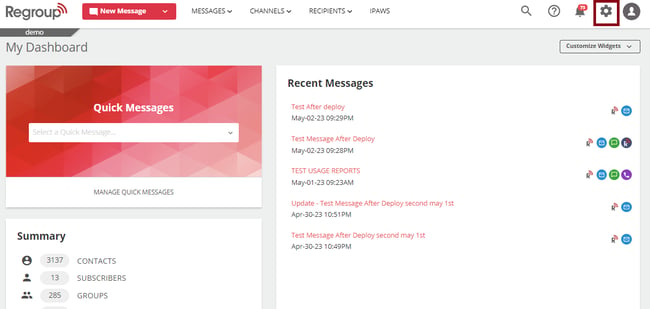
Click the Organization Settings icon on the top right corner. See the following image:
-
Click the Add-on tab on the left navigation panel. See the following image:
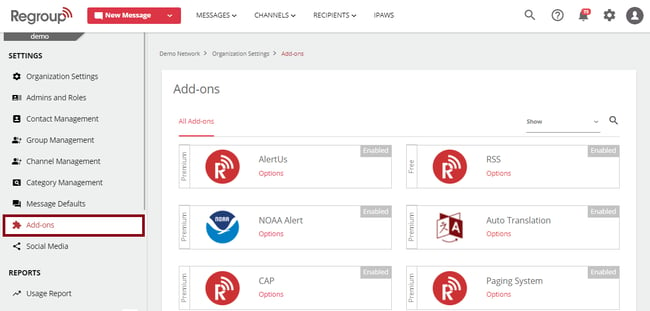
The add-ons page appears with all add-ons.
-
Locate the LDAP Sync add-on by scrolling or searching.
-
Click Options on the add-on tile. See the following image:
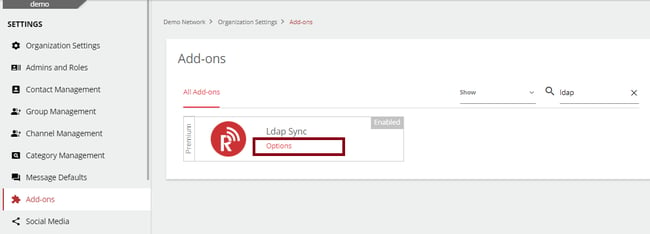
LDAP SYNC add-ons page opens.
-
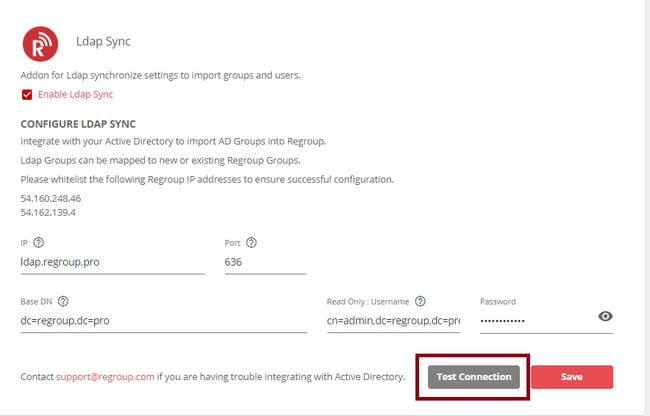
Server Allow List the following Regroup IP addresses to ensure successful configuration:
-
For accounts located in the US network, use the below IP addresses: 54.162.139.4 & 54.160.248.46 (app.regroup.com).
If you require a VPN, please fill out Regroup’s USA VPN Worksheet and contact success@regroup.com to request a VPN tunnel configuration.
-
For accounts located in Canada, use the below IP addresses: 3.97.3.247 & 3.97.30.203 (ca.app.regroup.com).
If you require a VPN, please fill out Regroup’s CA VPN Worksheet and contact success@regroup.com to request a VPN tunnel configuration.
-
-
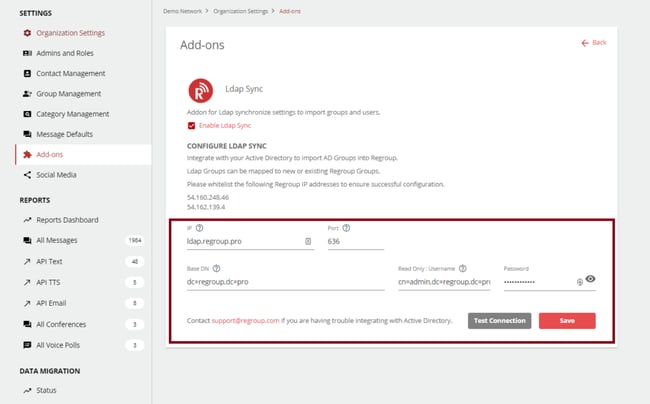
Enter your credentials and required details in the following fields:
-
IP: If multiple access IP addresses are necessary, separate them by semi-colons ( ; ). If Access IP resolves to a DNS, provide URL Domain.
-
Port: 389 for LDAP; 636 for LDAPS
-
Base DN: The Base Domain should have all desired Organizational Units (OU) subordinate to it in the AD Forest.
-
LDAP Bind User: The Read-Only Users should have access to view any OU that is desired for import and sync and exist within the provided Base Domain.
See the following image:
-
-
Click Save to save the configurations.
-
To test the connection, click Test Connection. See the following image:
Note: If any troubleshooting is necessary, make changes and save before any future tests.