
Overview
Administrators manage key functions across your organization, such as channels, groups, IPAWS alerts, and organization-wide settings. From the Admin & Roles section, you can add or invite new admins, assign them to existing roles, or upload multiple admins in bulk using a CSV file.
Admins can be assigned to predefined roles or custom roles. Predefined roles are always available and use fixed permissions. Custom roles must be created and configured before they can be assigned.
Before You Begin
-
Predefined roles have non-editable permissions.
-
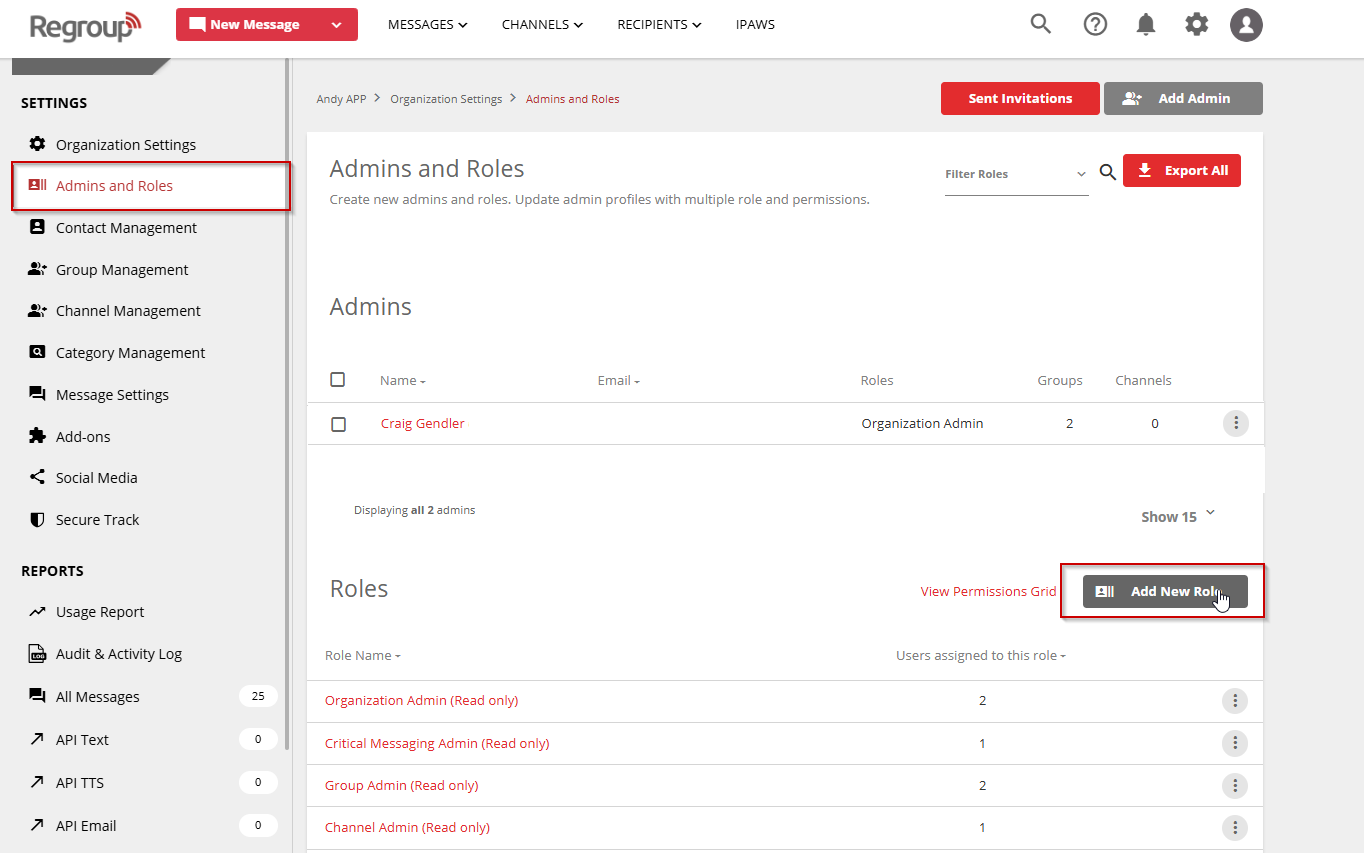
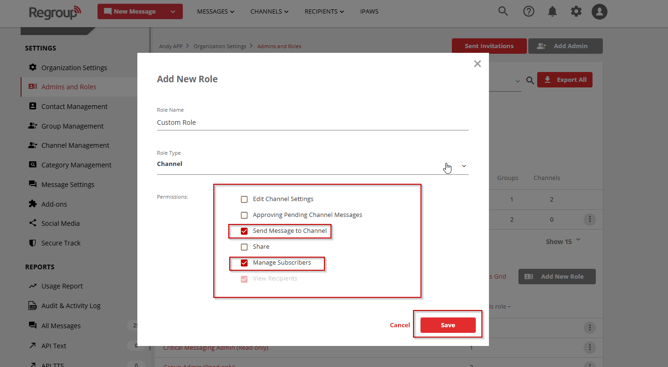
Custom roles must be created before they can be assigned to administrators.
-
Each role supports only one role type.
Add or Invite a New Admin
-
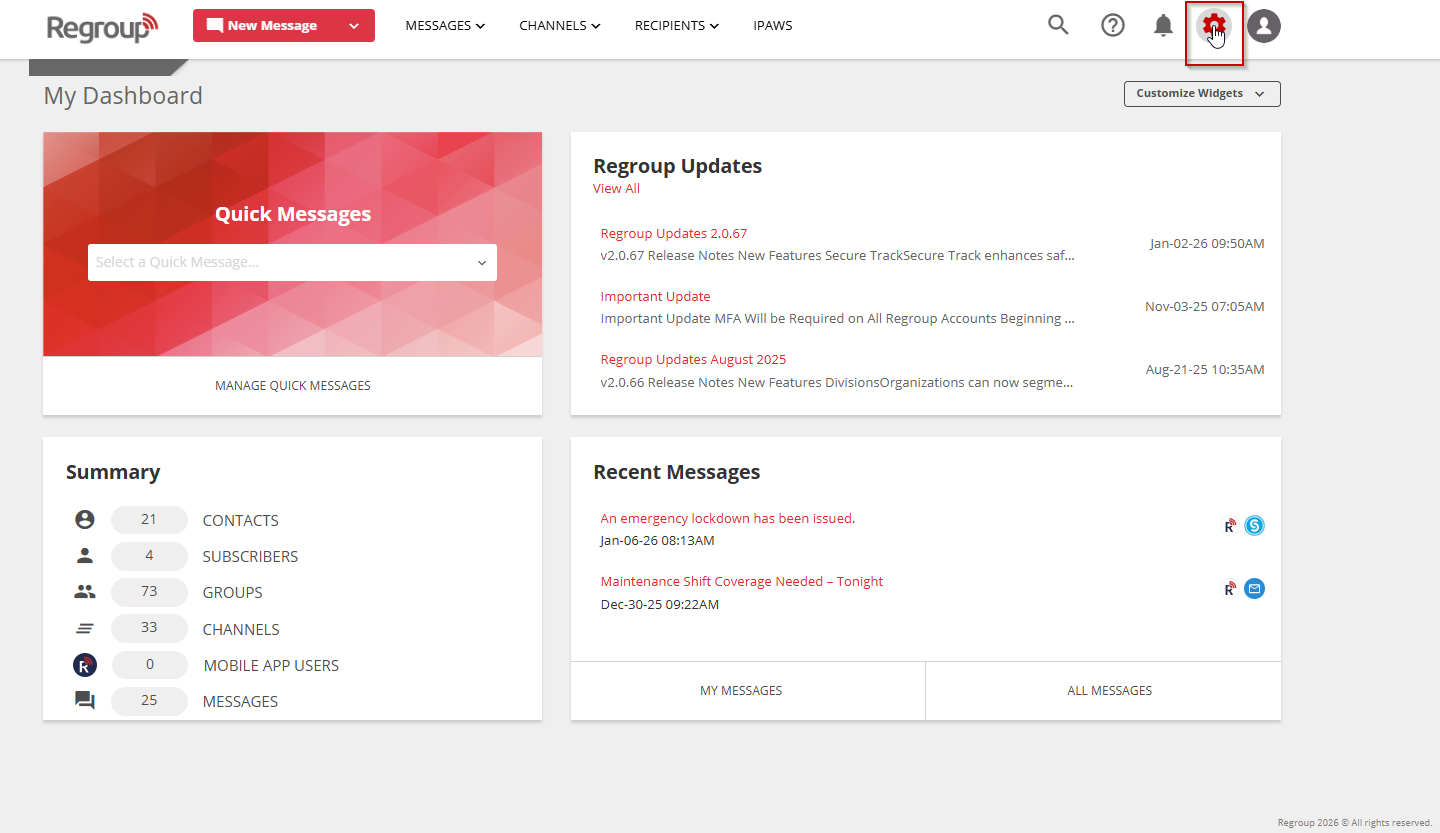
Open Organization Settings.
-
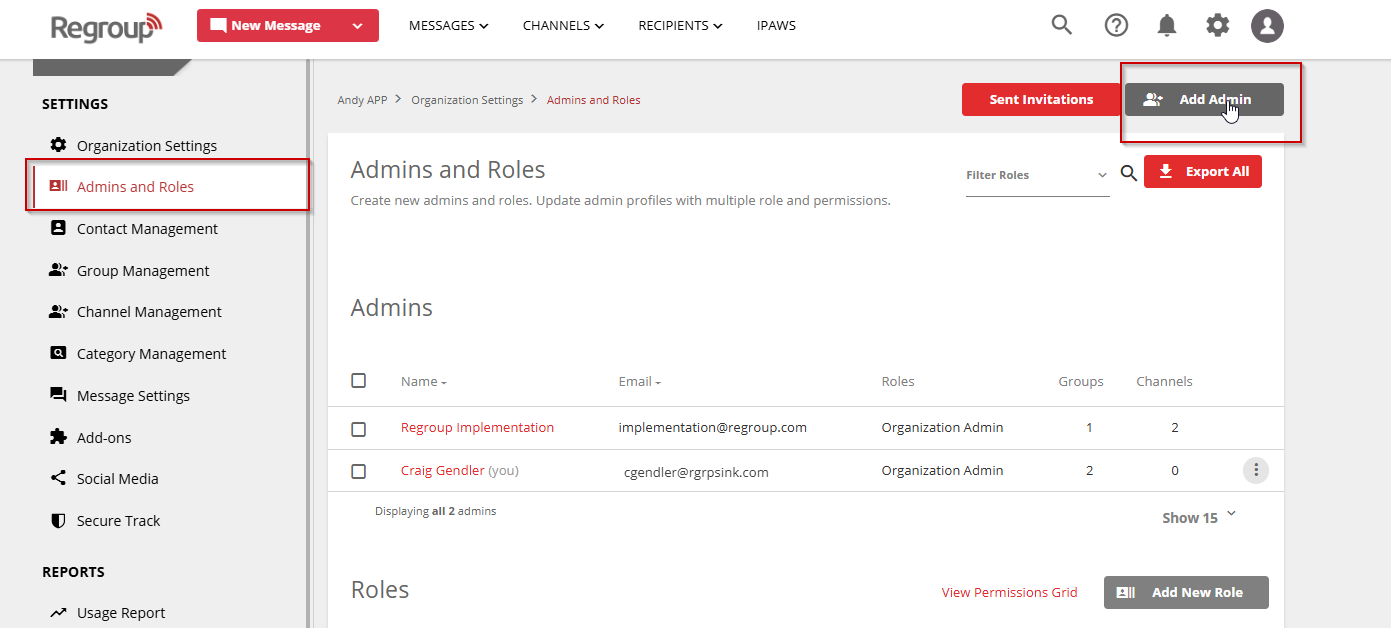
Select Admin & Roles from the left navigation.
-
On the Admins page, select Add Admin.
-
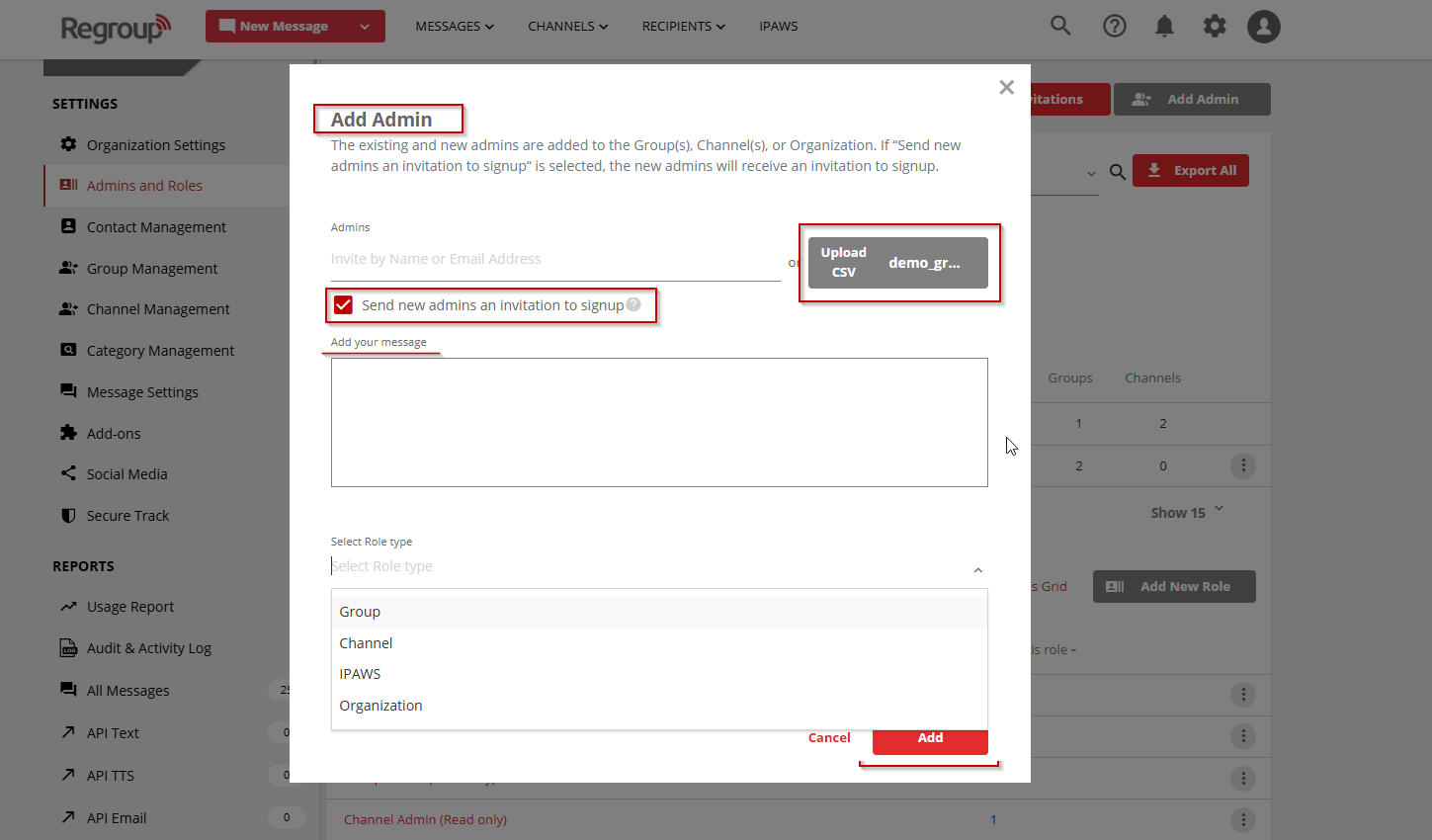
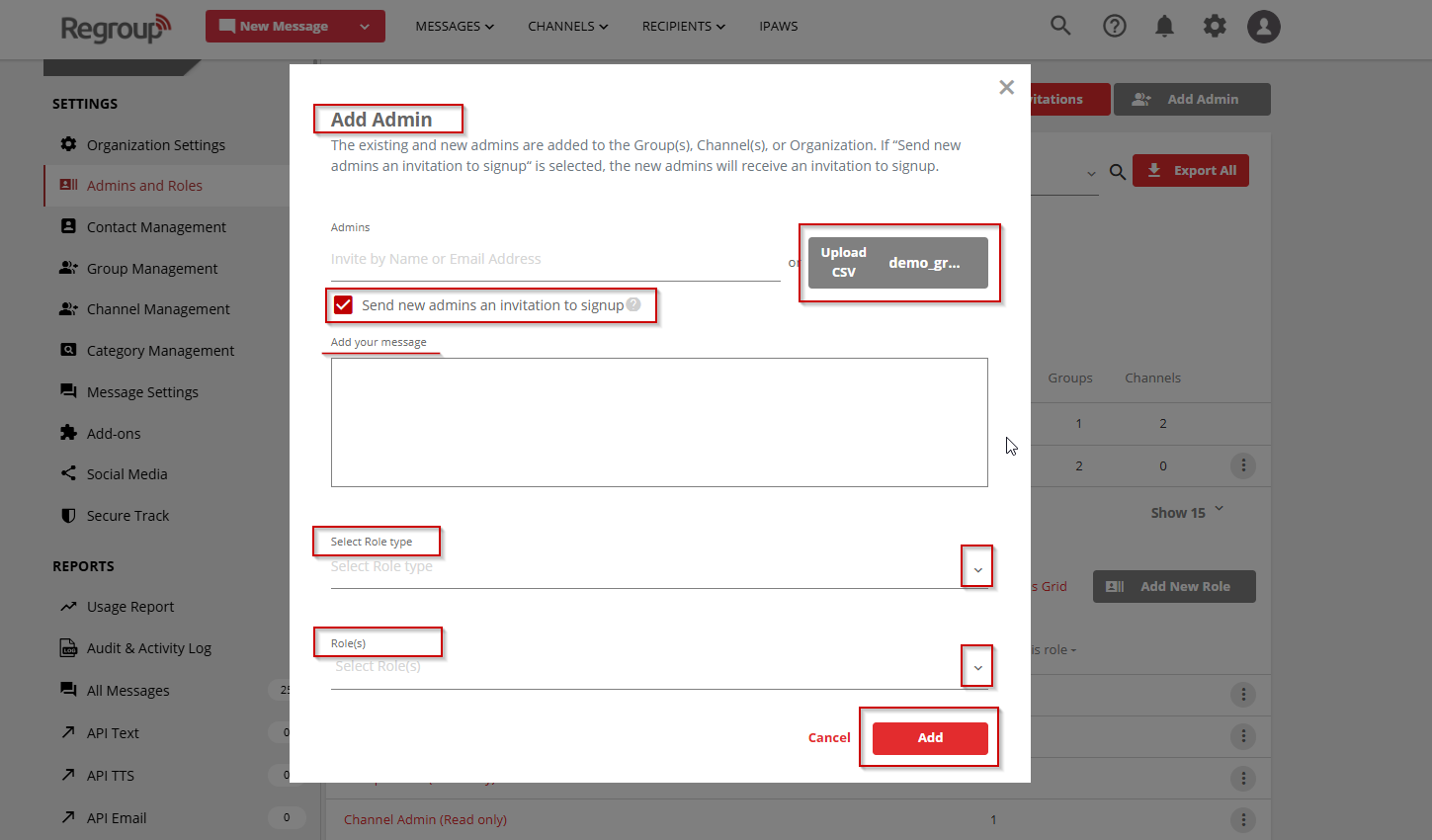
In the Admins field, enter the admin's name or email address.
-
You can add multiple admins at once.
-
Use a name for an existing contact or an email address for a new user.
-
-
To add admins in bulk, select Upload via CSV, and then upload a valid CSV file.
-
Select Send new admins an invitation to sign up to notify the new admins by email.
-
Optionally, enter a message in the Add a Message field.
-
Select one of the following options from the Select Role Type list:
-
Group
-
Channel
-
IPAWS
-
Organization
-
-
Select a role from the Select Roles list.
- Only roles associated with the selected role type are displayed.
-
If applicable, select the groups or channels that the admin can manage.
-
This option is available only for the Group and Channel role types.
-
Select Add.
What Happens Next
-
Existing admins are immediately assigned to the selected role.
-
New admins receive an invitation email and are added after accepting the invitation.
-
When an invitation is required, the admins are not added until they accept it.
Notes and Tips
-
A single role cannot include multiple role types.
-
To grant access to multiple areas, such as both channels and groups, create separate roles and assign each applicable role to the admin.
-
CSV uploads must use the
.csvfile format.