
Overview
Web poll templates allow you to design and save polls for later use. You can reuse these templates to send polls to different recipients or through various delivery methods, saving time and ensuring consistency.
Create a Template
-
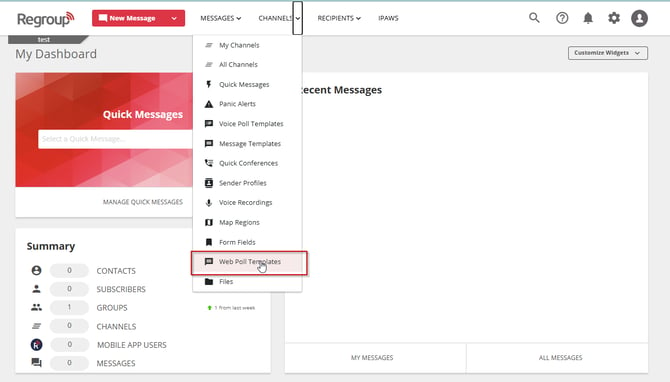
Open the Channels dropdown and select Web Poll Templates.
-
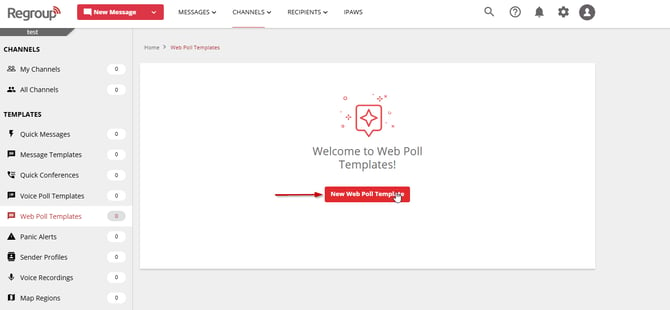
Select New Web Poll Template.
-
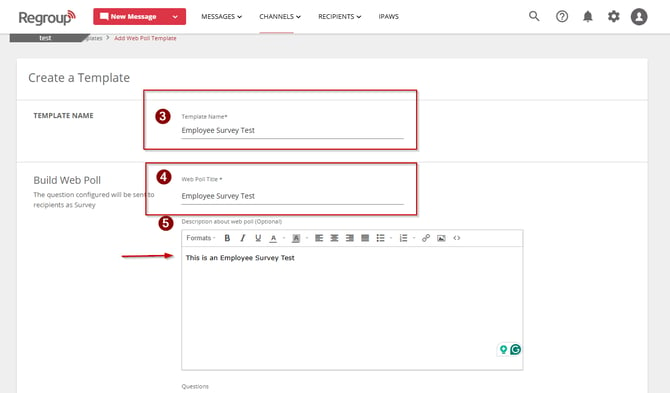
Enter a name in the Template Name field.
-
Enter a title for the web poll in the Web Poll Title field.
-
(Optional) Add a description of the web poll in the Description field.
-
In the Build Web Poll section, add your survey content.
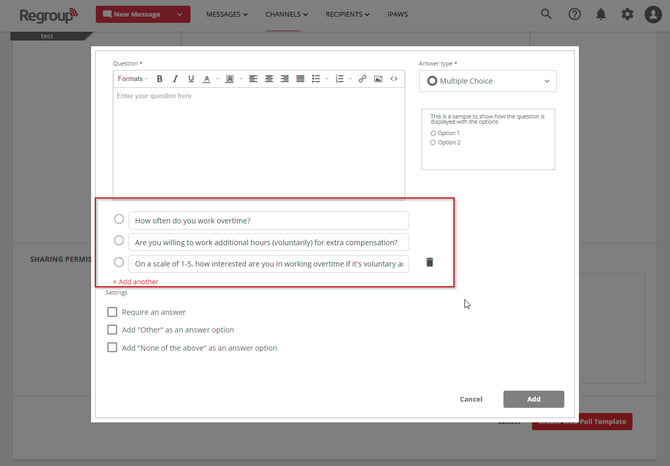
- For instructions on building survey questions, see Create and Send Web Poll Surveys
- Select poll options
- Require an answer.
- Add “Other” as an answer option.
- Add “None of the above” as an answer option.
- Choose how to sort questions:
- Show with numbers.
- Show with alphabets.
- Set sharing permissions:
- Only Creator – Do not share with anyone.
- All Admins – Share with all admins in your organization with permission to Read/Modify/Delete.
- Select Groups, Channels, or Individual Admins – Share with specific admins of your choice.
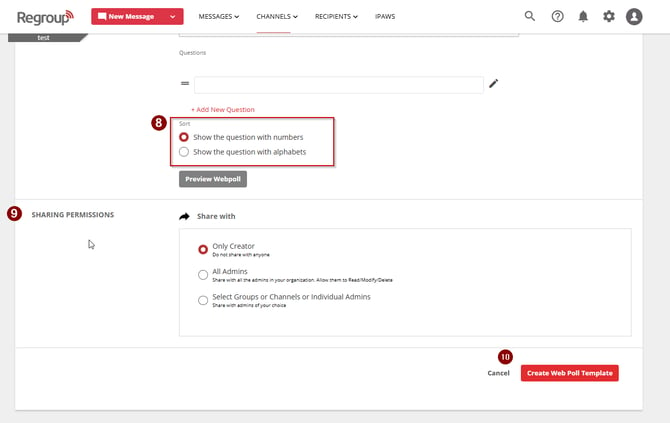
10. Select Create Web Poll Template to save the template.