
Overview
Roles define the permissions assigned to administrators in your organization. When a role is no longer needed, you can delete it to keep role management clean and up to date. Predefined system roles cannot be deleted.
Delete a Role
-
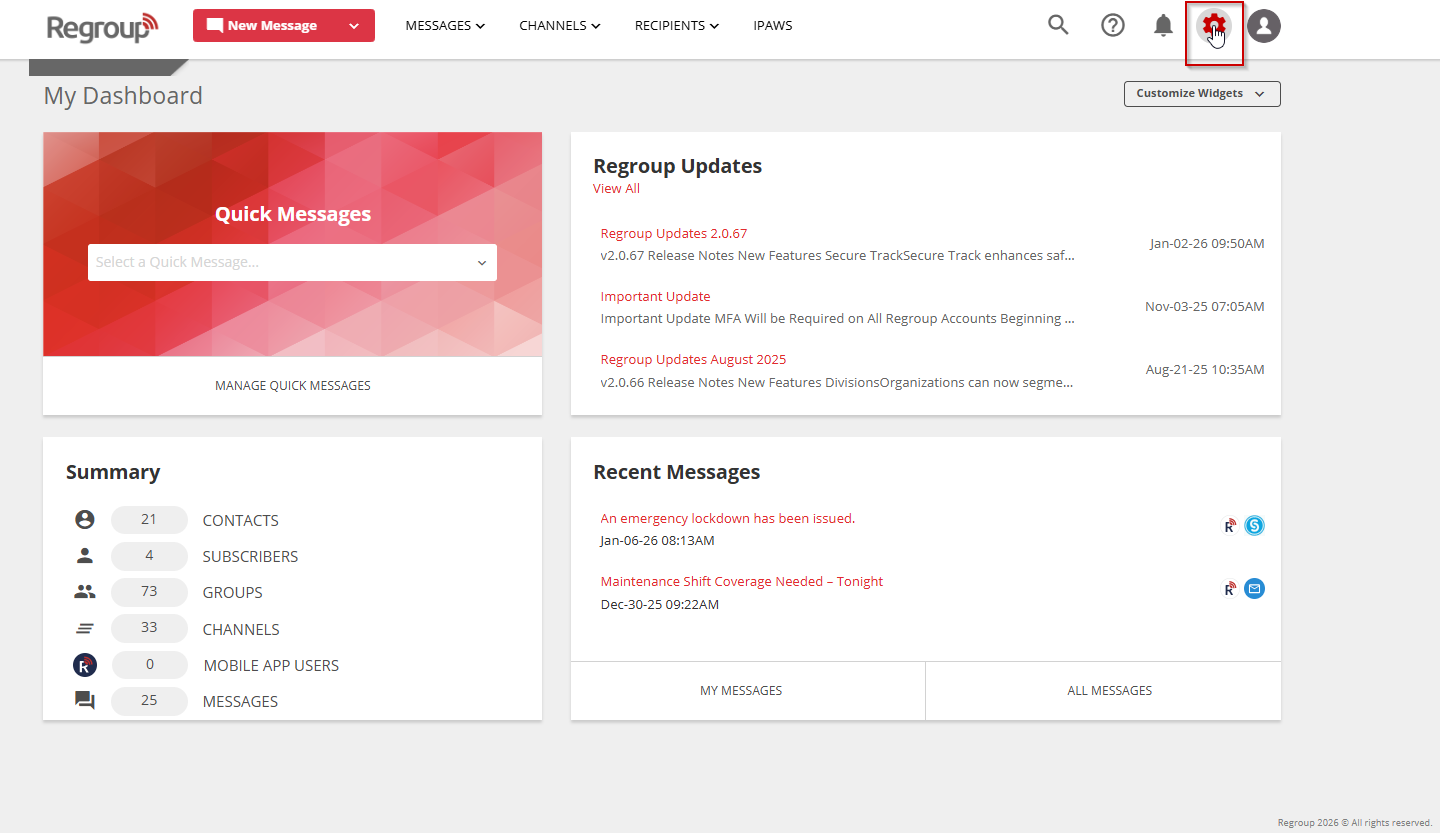
Select the Organization Settings icon in the top-right corner.
-
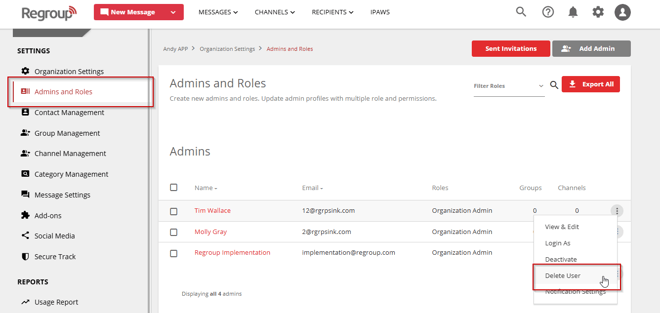
Select Admins & Roles from the left navigation panel.
-
Locate the role you want to delete by scrolling to the Roles section or by entering the role name in the search field.
-
Select the More options (vertical ellipsis) next to the role.
-
Select Delete User.
-
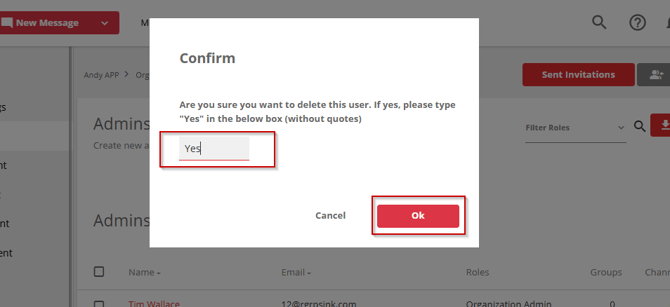
In the confirmation dialog, enter Yes in the text field.
-
Select OK to confirm.
Important Notes
- You cannot delete predefined roles.