
Alertus is a premium add-on. Contact Regroup to enable it.
After enabling the Alertus add-on, you can do the following to set it up:
-
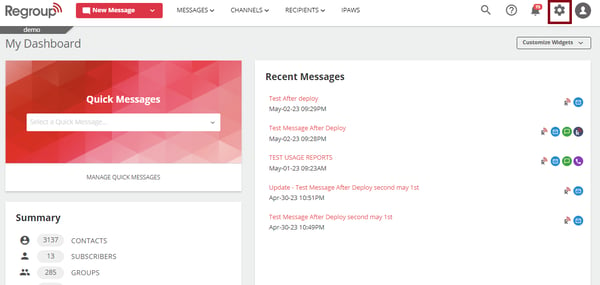
Click the Organization Settings icon on the top right corner. See the following image:
-
Click the Add-on tab on the left navigation panel. See the following image:
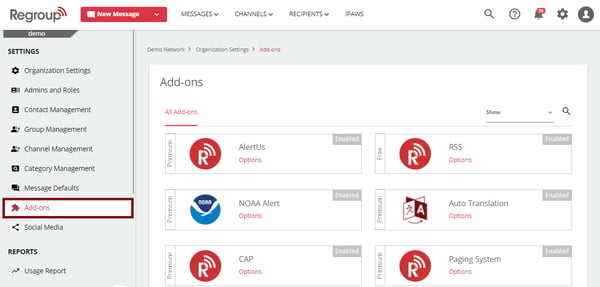
The add-ons page appears with all add-ons.
-
Locate the Alertus add-on by scrolling or searching.
-
Click Options on the add-on tile. See the following image:
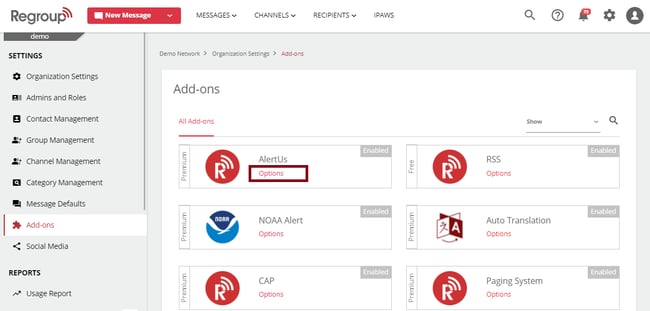
When the add-on is enabled, the Enable Alertus check box appears enabled.
-
Allowlist the following Regroup IP addresses to ensure successful configuration:
United States: 54.160.248.46 and 54.162.139.4
Canada: 3.97.3.247 and 3.97.30.203
-
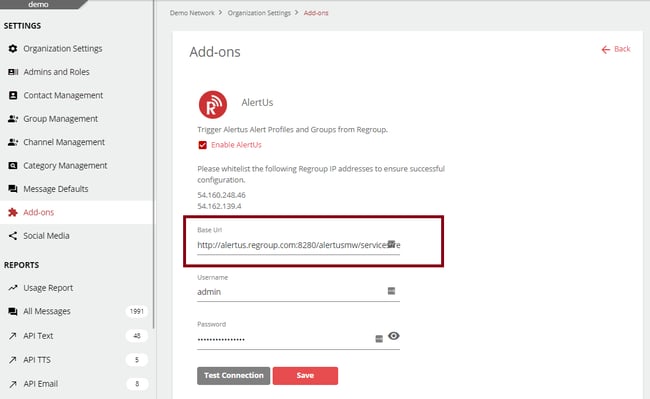
Enter your Alertus Base URL in the Base URL field.
Here is a base URL syntax: https:// +':8280/Alertusmw/services/rest'
See the following image:
-
Enter a Username and Password for the account with the appropriate Alertus permissions.
Our system uses this to connect with the Alertus Profiles and Groups.
-
Click Test Connection to ensure the connection is set correctly. See the following image:
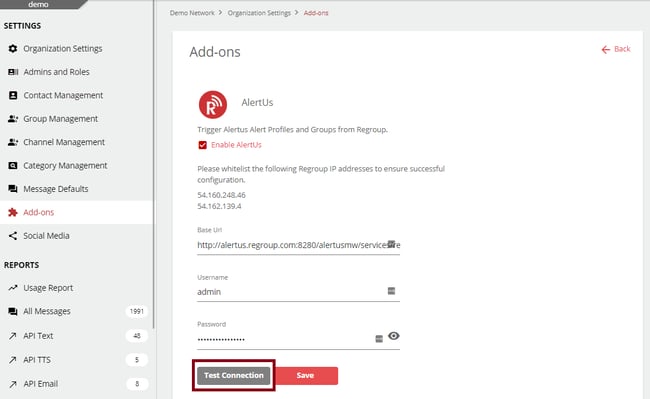
If the credentials are set correctly, you get a message confirming the connection is successful.
-
Click Save to save your integration.
On the New Message page, you can now see Beacon & Desktop as a delivery method. To send messages using AletUs, see the topic Send Messages from Regroup to the Alertus.