
Here is how you export all admins in your organization:
-
Click the Organization Settings icon on the top right corner. See the following image:
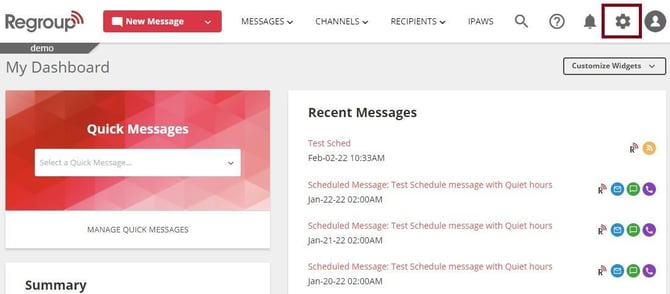
The Organization Settings page appears.
-
Click the Admin & Roles segment on the left navigation panel. See the following image:
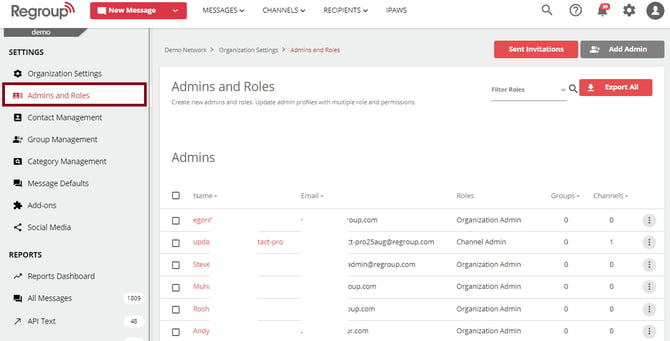
The Admins page appears with existing admins, roles and other options.
-
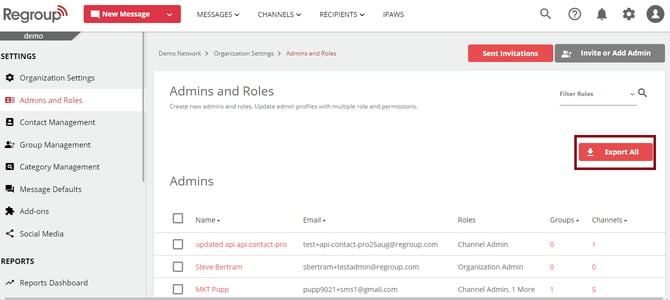
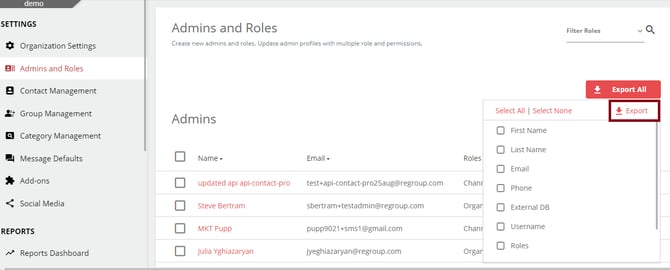
Click the Export All button on the top right side of the admin panel. See the following image:
-
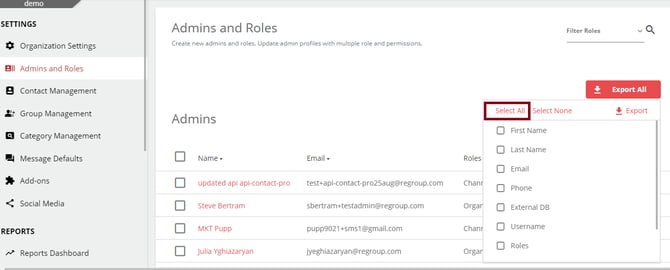
Select the specific details you want to export from the drop-down list. You can click Select All to download all the available information in an admin account. See the following image:
-
Click Export. See the following image:
The CSV with all the selected fields gets downloaded into your system.