
You can edit and remove group automation in the Group Management section of the Organization Settings. Here is how you edit or delete existing group automation:
-
Click the Organization Settings icon in the top right corner. See the following image:
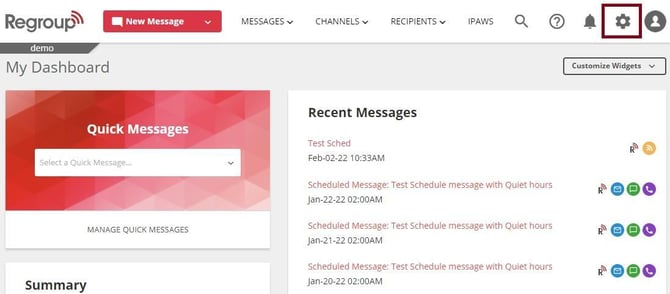
The Organization Settings page opens.
-
Click the Group Management segment on the left navigation panel.
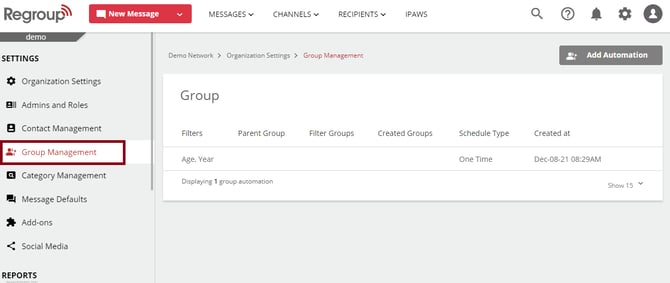
The Groups page appears with existing groups created with custom filters.
-
Locate the automation you want to update.
-
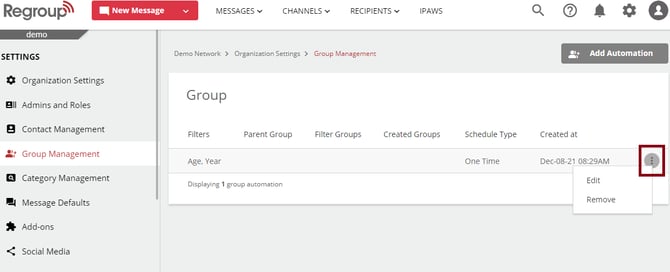
Click on the vertical ellipsis on the right side of the automation. See the following image:
-
You can click Delete if you want to delete automation.
-
To update automation, click Edit.
The Group Automation page appears with all editable fields.
-
Update the fields as required. To learn more about the fields, see the topic: Create Group Automation.
-
Click Save.