
Overview
The Admin Profile page allows organization admins to manage user details, permissions, and access within Regroup. From this page, you can update personal information, link contact records, assign roles, and manage group and channel access for each admin.
You can directly navigate to specific sections within the profile:
-
Personal Info: Update personal and contact details.
-
Link Contact Record: Connect the admin profile with an existing contact profile to allow message delivery.
-
Roles: Assign or remove roles that define the admin’s permissions.
-
Groups: Manage which groups the admin belongs to and their roles within each group.
-
Channels: Add or remove channel access and configure message approval requirements.
1. Open the Sender Profiles page
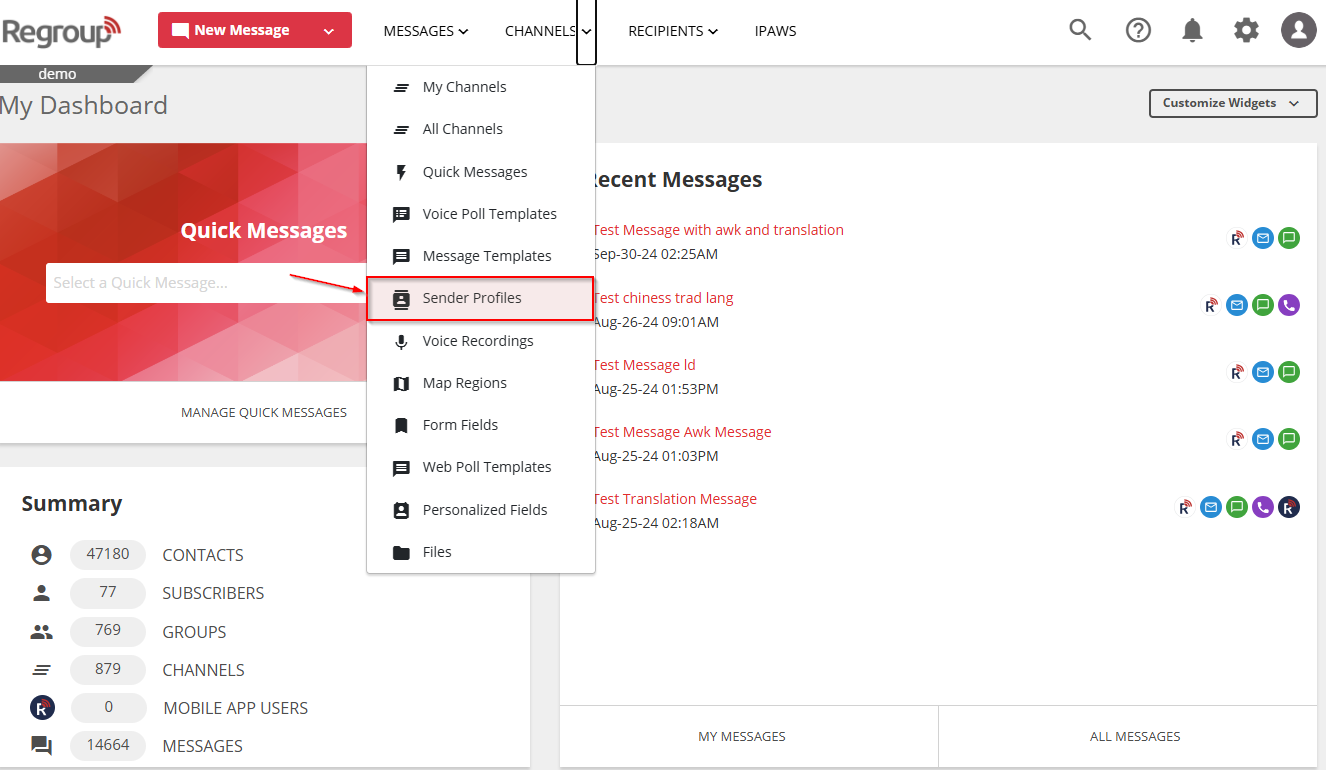
Click the Channels dropdown and select Sender Profile.
2. Find the sender profile
-
Click the lens icon (🔍) to search and locate the required sender profile.
3. Update or delete a sender profile
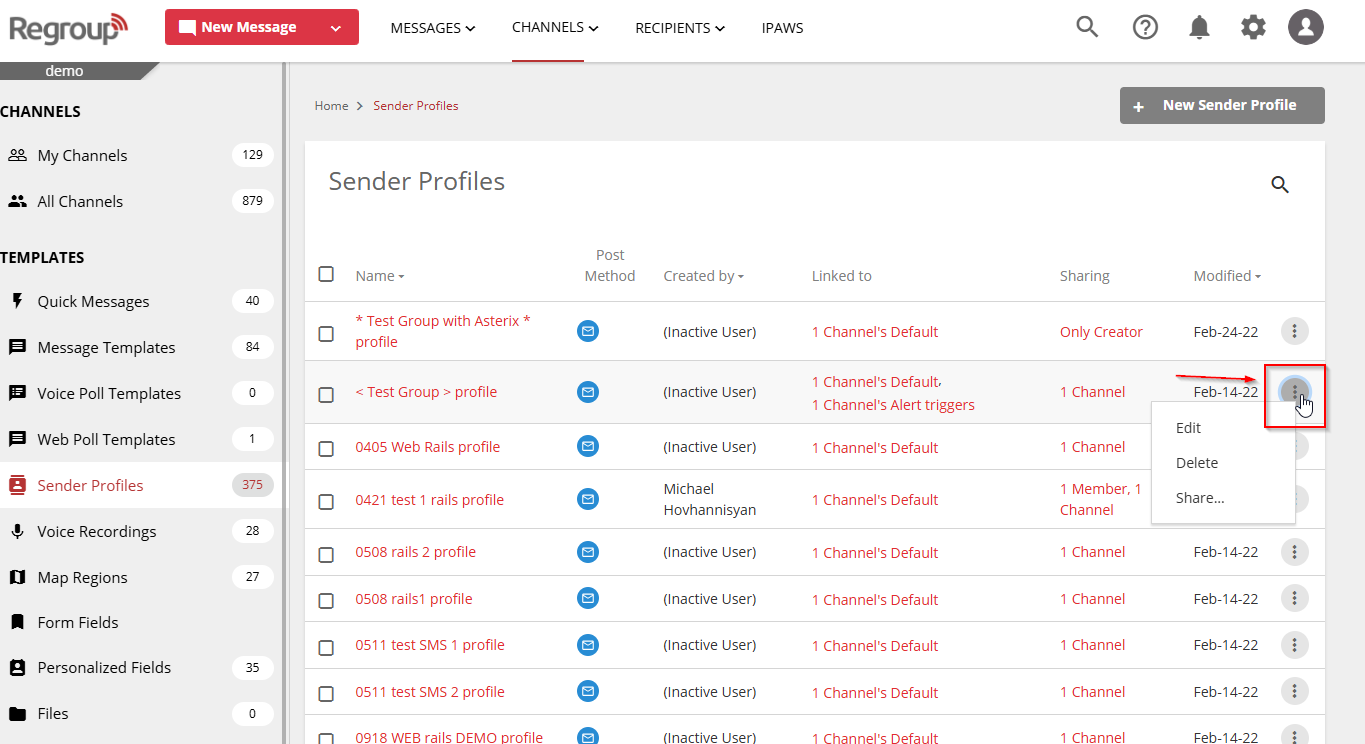
Click the vertical ellipsis (⋮) next to the sender profile you want to update.
-
Choose one of the following actions:
-
Edit: Opens the Edit Sender Profile page where you can make updates.
Tip: To learn more about editing fields, see [Create Sender Profiles].
-
Delete: Deletes the sender profile. You must type Yes to confirm.
Note: Deletion is permanent and cannot be undone.
-
4. Manage sharing settings
Click Share to manage who can access the sender profile.
-
In the Share with section, choose one of the following options:
- Only Me: Keep the profile private.
- All Admins: Share with all admins in your organization. You can also allow them to:
- Modify the profile
- Delete the profile
- Select Groups, Channels, or Individual Admins: Share with specific admins, groups, or channels.
- Select the desired recipients.
- Use the Modify or Delete checkboxes to set permissions.
5. Save changes
- Click Save to apply your updates.
Click the Channels dropdown and select Sender Profile.
-
You can click the lens icon to search and locate the required sender profile.
- Click the vertical ellipsis corresponding to a sender profile to update it.
- Click Edit to update the profile.
You can update the sender profile on the Edit Sender Profile page. To learn more, see the topic Create Sender Profiles. - You can click Delete and type Yes to confirm the deletion of the sender profile.
Note: You cannot undo a sender profile deletion. - You can click share and change the share settings. Click one of the options from the Share with section:
-
Only Me: Do not share with anyone.
-
All Admins: Share with all the admins in your organization. Click the Modify or Delete checkboxes to allow them to update or delete the sender profile.
-
Select Groups, Channels or Individual Admins: Share with admins, groups or channels. You must select the required groups, channels and individual admins.
Click the Modify or Delete checkboxes to allow them to update or delete the sender profile.
-
Click Save to save your changes.