You can change the language of your application's user interface from English to French or Spanish. The system translates all UI elements into your desired language on web and mobile apps. Each user in your organization can have their interface appear in English, French, or Spanish without affecting the other user's preferences. You must contact Regroup to enable it.
Here is how you change your application's language from English to French or Spanish:
- Contact Regroup to enable UI Translation from English to French or Spanish.
- After UI translation is enabled, log into the application.
- Click the Contact Profile icon on the top right corner. See the following image:
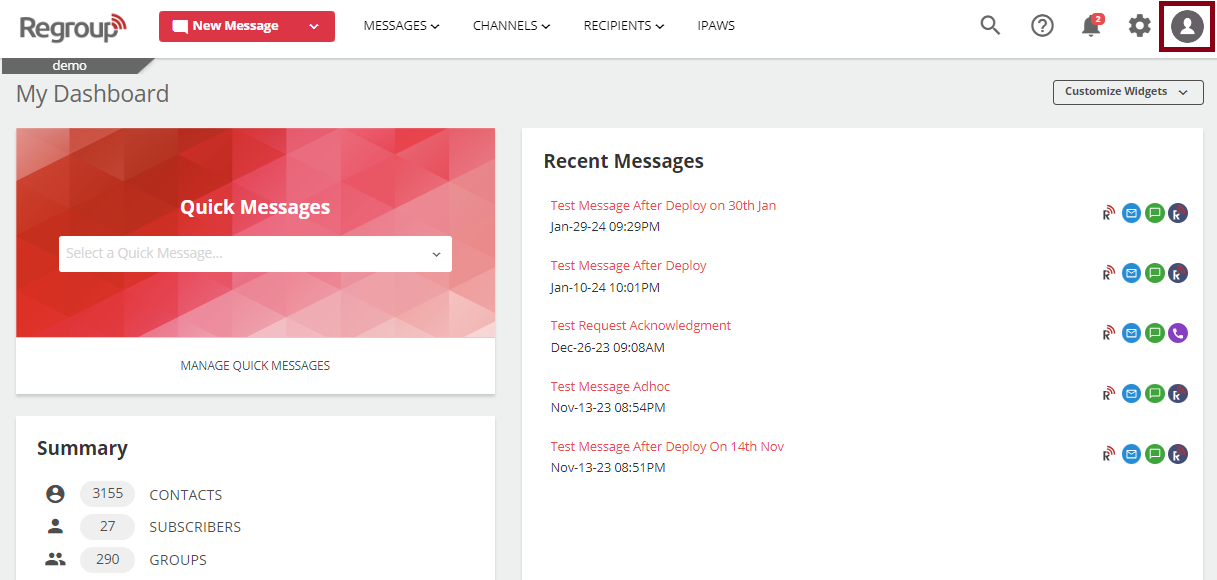
A dropdown opens with the list of settings. - Navigate to Switch Languages and click the required language:
- Español to switch your application's language to Spanish.
- Français (Canada) to switch your application's language to Canadian French.
Your application's language now gets translated to the selected language.
Note: The language you select for your application interface does not affect the language of other users.